




Zapier connects more than 9,000 apps and is the easiest way to wire two tools together. For AI workflow automation, though, the bill and the ceiling arrive faster than most people expect. Zapier prices by the task, and one task is one action that runs.
A five-step Zap that fires 150 times a month spends 750 tasks, which is the entire base Professional tier at $19.99 a month on Zapier's pricing page. Route an AI agent's actions through Zapier MCP, and each tool call costs two tasks, so an agent that takes twenty steps to finish one job spends forty tasks doing it.
That is why "zapier alternatives" is searched constantly, and why searches now include AI modifiers like free, open-source, cheaper, and AI. The eight tools below cover the three groups of people actually shortlisted: open-source automation you self-host, cheaper hosted builders, and AI-native platforms built for agents. Every price here was checked in June 2026. Automation pricing changes often, so confirm the current rate on each vendor's own page before you commit.
AI automation adds another reason to compare Zapier competitors. Traditional no-code automation platforms were built around fixed triggers and actions. AI agents work differently. They choose tools at runtime, make multiple calls, use context, retry steps, and sometimes need human approval.
You should consider a Zapier alternative if:
Your Zapier bill rises faster than the value of the automation
Your workflows have many steps, branches, filters, or complex AI model calls
You need a free or open source Zapier alternative that you can self-host
You need more control through code, APIs, webhooks, or custom logic
You are building AI agents rather than simple trigger-action workflows
Your team wants predictable pricing at higher automation volume
What Zapier actually costs for AI automation
Zapier's free plan has been reduced to 100 tasks per month and caps Zaps at two steps, which is enough to test whether your apps connect and little else. Professional starts at $19.99 a month (billed annually at $29.99 monthly) and includes 750 tasks, multi-step Zaps, webhooks, and premium apps. Team runs $69 a month annually ($103.50 monthly) for 2,000 tasks and up to 25 users. The model is simple. Every action counts; overage bills at 1.25x your rate up to a hard cap of three times your allowance, and AI steps that call a model burn tasks like any other action.
Zapier did add some AI features. Copilot drafts Zaps from a prompt and does not consume tasks; Zapier Agents run on a separate activities plan, and Zapier MCP exposes the app catalogue to AI clients like Claude and ChatGPT. MCP is the part to watch for agent work, since each successful MCP tool call costs two tasks.
Convenient for light use, expensive once an agent is doing real volume. For a team in India or anywhere Zapier's dollar pricing stings, and for anyone running agents at scale across thousands of actions, the meter rises with how much work you do rather than the value of each run. The alternatives split along that line. Some do the connect-two-apps job for less. Others are built so the AI is the whole point.
How I compared these Zapier alternatives
I compared each tool on five practical factors: pricing, workflow depth, AI features, integrations, and ease of setup.
Pricing came first because Zapier’s task-based model is the primary reason many teams look elsewhere. I checked how each tool charges, whether by tasks, operations, executions, credits, flows, users, or tool calls, and how that pricing holds up as automations get longer or run more often.
I also looked at workflow flexibility: branching logic, webhooks, API access, custom code, approvals, error handling, and self-hosting. For AI automation, I gave extra weight to MCP support, AI agents, model integrations, vector stores, managed authentication, and whether the platform supports agent-driven workflows rather than only fixed trigger-action automations.
Finally, I grouped the tools by best fit: cheaper hosted automation, open-source control, Microsoft 365 workflows, no-code AI agents, developer automation, and agent infrastructure for prosumers or technical teams.
Best Zapier Alternatives at a glance
Tool | Pricing model | Free or self-host | AI and MCP | Best for |
|---|---|---|---|---|
Zapier | Per task | Free 100 tasks/mo | Copilot, Agents, MCP (2 tasks per call) | Non-technical teams, broad app coverage |
Composio | Per tool call | Free 20,000 API tool calls/mo | Agent infra, managed auth, MCP gateway | Connecting Claude, ChatGPT, or Codex with applications in minutes |
n8n | Per execution | Free self-host, unlimited runs | AI Agent and LangChain nodes, MCP, vector stores | Technical teams wanting open source at volume |
Make | Per credit | Free 1,000 credits/mo | Make AI Agents, Maia, MCP | Cheaper visual automation without a server |
Activepieces | Per active flow | Free self-host (MIT), 10 free cloud flows | AI agents, Copilot, every piece is an MCP server | Builders who want MCP-first automation on an open license |
Pipedream | Per compute credit | Up to 100 credits/mo | Mature hosted MCP, code in 4 languages | Developers who want code plus connectors |
Gumloop | Per credit | Free tier, no self-host | AI native nodes, Gummie builder, MCP | Ops and growth teams on AI-heavy workflows |
Lindy | Per credit | 7-day free trial | Natural language agents, voice, and computer use | Knowledge work that needs judgment |
Power Automate | Per user or per bot | Free basic tier, no self-host | Copilot, AI Builder, Copilot Studio | Microsoft 365 shops |
Best Zapier Alternatives in 2026
1. Composio: the tool layer when you are building the agent yourself
Composio is the Zapier alternative to consider when your automation starts in an AI assistant rather than a visual workflow builder.
The bigger unlock is the Composio MCP Gateway. MCP, or Model Context Protocol, lets AI clients call external tools in a structured way. With Composio’s managed MCP gateway, your assistant can discover available tools, request the right connection, and execute actions across apps through one gateway.
For a power user, that means you can give Claude or Codex controlled access to Gmail, Slack, Google Calendar, Notion, GitHub, Linear, HubSpot, and other tools without installing a separate MCP server for every app.
This is not a classic no-code builder like Zapier, Make, or n8n. Composio is better when you want the AI to decide what tool to use at runtime.
For example, you can ask an assistant to “summarise this sales call, create follow-up tasks, update the CRM, and draft an email,” and Composio provides the authenticated app layer that lets the assistant carry those steps out.
Pricing is based on tool calls rather than tasks or seats. The free tier covers 20,000 tool calls per month; the $ 29-a-month plan covers 200,000; and higher tiers support larger agent workloads. If your AI automation means “let my assistant take actions across my apps,” Composio is one of the cleanest ways to make that real.
Pros
Connects AI assistants and agents to 1,500+ apps with managed authentication
Composio Connect makes it fast to wire work apps into Claude, ChatGPT, Cursor, Codex, and custom agents
Managed MCP Gateway gives agents structured access to tools without running separate MCP servers for every app
Better fit than Zapier when the AI chooses actions dynamically instead of following a fixed trigger-action workflow
Cons
Not a visual workflow builder, so it is less suited to simple no-code automations
Works best if you are already comfortable using AI assistants or agent tools
You still need to think carefully about permissions, approvals, and what your AI agent is allowed to do
Start Automating with Composio now: dashboard.composio.dev
Watch
n8n: the open source, self-hosted pick most people land on
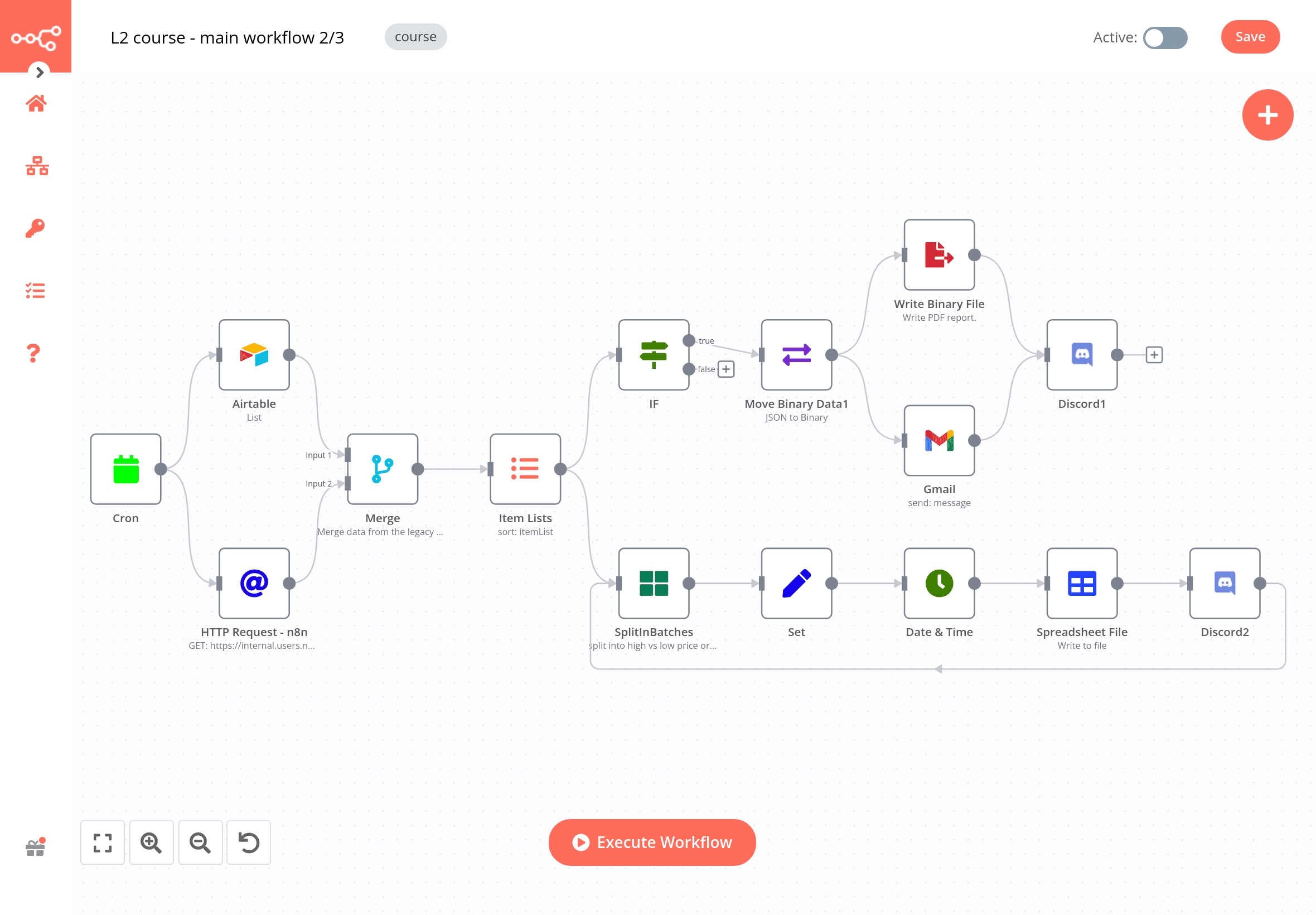
n8n is the open-source workflow tool that comes up first in almost every Reddit thread about a free or cheaper Zapier alternative. The reason is the license.
The Community Edition is fair code under the Sustainable Use License, free to self-host with no execution cap, includes all 400-plus integrations, and offers full JavaScript and Python code nodes. Run it on a $5 VPS, and you pay for the server, not per run. Many users report keeping production workloads on the free self-hosted tier for months.
Pricing is the other half of the appeal. n8n bills by execution, where one full workflow run counts once, no matter how many steps it has, so a fifteen-step workflow costs the same as a one-step one. The n8n cloud plans start at $24/month for Starter (2,500 executions), $60/month for Pro (10,000 executions), and $800/month for Business (40,000 executions with SSO). There is no free cloud tier anymore, though there is a 14-day Pro trial.
For AI, n8n is the deepest of the no-code crowd. It ships native AI Agent nodes with LangChain underneath, Model Context Protocol support, and vector store nodes for Pinecone, Qdrant, Weaviate, and Supabase, and it works with OpenAI, Anthropic, and Google models.
The agent nodes are free at the platform level; you pay your model provider for tokens. The trade is genuine work: you host it, you patch it, and polling triggers and failed runs still count as executions. If you have someone comfortable with servers, n8n is the cheapest serious option for AI workflows at scale.
Pros
Open source and free to self-host with unlimited executions on your own server
Execution pricing charges once per workflow run, no matter how many steps, which suits complex automations
Deep AI building blocks: native AI Agent nodes on LangChain, MCP, and vector stores, plus JavaScript and Python
Cons
Fair code license restricts reselling it or offering it as a hosted service to your own customers
No free cloud tier past the 14-day trial, so hosted use starts at $24 a month
The node editor and self-hosting both assume some technical comfort
Related: Best n8n alternatives for AI automation in 2026
Watch
2. Make: cheaper visual automation with agents built in
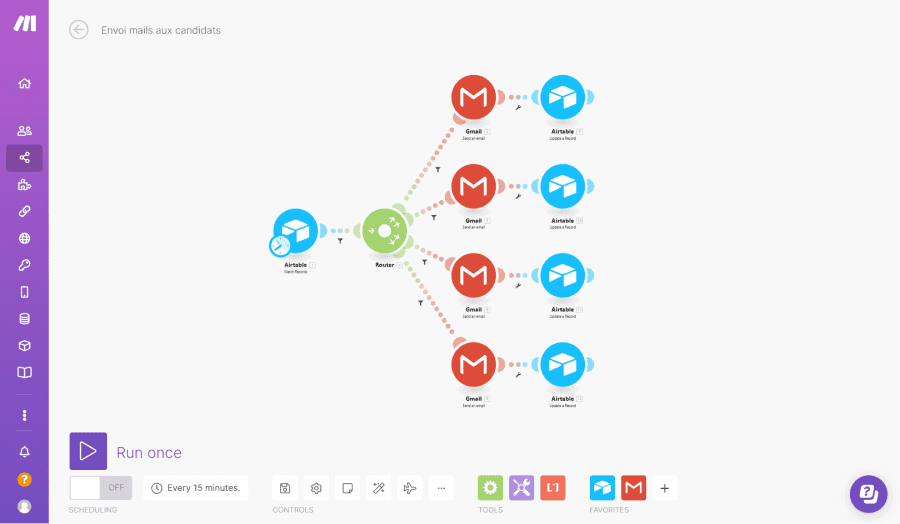
Make, formerly Integromat and now part of Celonis, is the visual builder people choose when they want a cheaper Zapier alternative without having to run their own server. You build scenarios by dragging modules onto a canvas across 3,000-plus apps. Pricing runs on operations, where each module step in a scenario uses one operation, so a ten step scenario spends ten operations per run.
Pricing runs on credits, where each action a scenario performs consumes a certain number of credits - most actions use one credit, so a ten-step scenario typically spends about ten credits per run. Paid Make plans start with Core around $12 a month, billed annually for 10,000 credits, with Pro and Teams above it. For equivalent volume, Make tends to run three to five times cheaper than Zapier, which is the entire pitch.
Make has leaned hard into AI: Make AI Agents for scenarios that react to changing conditions, a Maia assistant that builds scenarios from a description, MCP server and client support, and native connections to OpenAI, Anthropic, and Google models.
For heavy users, the built-in AI modules consume more credits than a plain step, so high-volume AI work stays cheaper if you call your model through the HTTP module with your own API key. Support is community forums and email, not phone.
Pros
Visual builder with nothing to host, and roughly three to five times cheaper than Zapier on the operations model
More than 3,000 apps and a free tier of 1,000 credits a month
Real AI features: Make AI Agents, the Maia assistant, and MCP support
Cons
Credit counting is hard to forecast as scenarios grow, and AI modules burn more operations
Cloud only, so there is no self-hosting option
Complex scenarios with nested routers get harder to debug
Watch
3. Activepieces: open source and MCP first
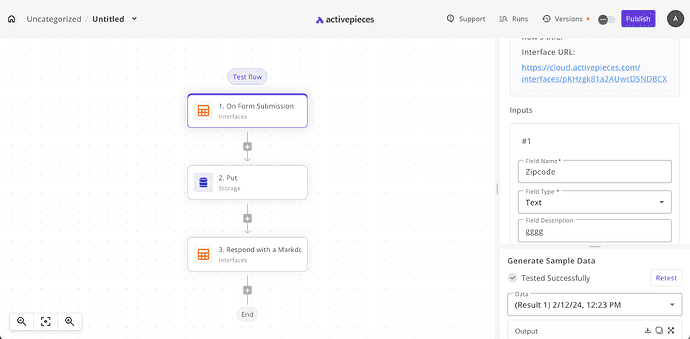
Activepieces is the newer open source challenger, and its license is the most permissive in the group. The Community Edition is MIT, so you can self-host it for free with unlimited runs and no per-task fee. Where n8n leans technical, Activepieces keeps a cleaner drag-and-drop builder that non-developers pick up faster, which is part of why it reached ~23,000 stars on GitHub.
Its strongest AI feature is MCP coverage. Every one of its roughly 750 integrations, which it calls pieces and writes as TypeScript npm packages, is also exposed as an MCP server, so Claude, Cursor, or ChatGPT can call hundreds of them as tools without custom wiring.
It also ships no-code AI agents and a Copilot that drafts flows from plain language, plus human-in-the-loop approvals for steps that need a person to sign off.
On Cloud, the Standard plan is free for 10 active flows with unlimited runs, AI agents, and unlimited MCP servers; then it's $5 per active flow each month. A flow that runs 10,000 times costs the same as one that runs once, since there is no per execution charge. Enterprise with SSO (Ultimate) and audit logs are custom-priced, and an embed option to put the builder inside your own product starts at $30,000 per year. If MCP sits at the centre of your plan, Activepieces is one of the fastest shortcuts available.
Pros
MIT open source, free to self-host with unlimited flows and runs
Every integration is also an MCP server, and AI agents run on all plans, including the free one
Predictable pricing at $5 per active flow with 10 free flows, and no per-run charge
Cons
Younger and smaller ecosystem than Zapier or Make, and some pieces have partial coverage
Cloud execution is slower than n8n because flows run in sandboxed isolation
Documentation for building custom pieces can be thin
Watch
4. Pipedream: code-first automation with a mature MCP server
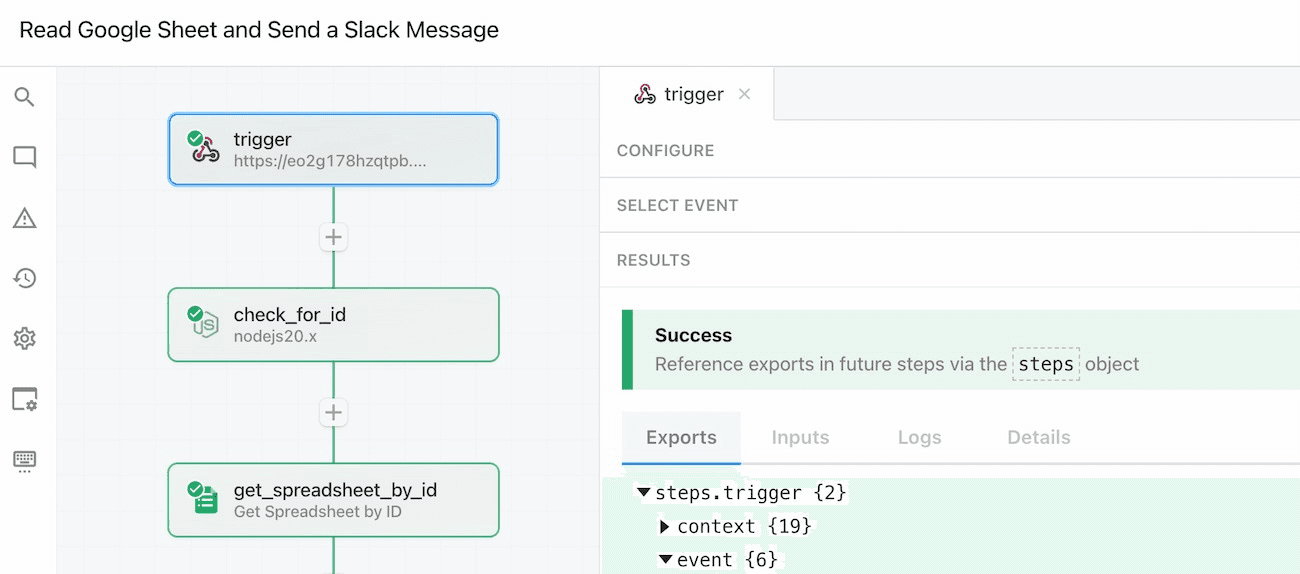
Pipedream is the tool to pick when you can write code. Every workflow is a trigger plus an ordered set of steps, and any step can be a Node.js, Python, Go, or Bash snippet sitting next to roughly 3,000 prebuilt connectors. There is no upgrade wall before you are allowed to write code.
Pricing is credit-based and, unusually, not per step. One credit covers 30 seconds of compute at 256MB, so a twenty-step workflow that finishes in five seconds costs the same as a two-step one.
The Pipedream free tier gives 100 credits per month with three active workflows, and paid plans start at around $29 per month for Basic, $49 for Advanced, $99 for Connect (for developers building integrations) and a custom Business plan. Heavy AI inference inside a workflow eats credits faster, and there is no self-hosting, so data-residency-sensitive workloads belong on n8n or Activepieces instead.
For agents, Pipedream's hosted MCP server is one of the most mature running in production, exposing more than 10,000 tools across 3,000 apps with managed OAuth, and it is free for personal use at mcp.pipedream.com. Pipedream Connect lets you drop that same integration layer into your own product or agent. Workday announced an agreement to acquire Pipedream in November 2025. The product has continued to ship normally, though an acquisition is something to weigh if you are committing to the tool for years.
Pros
Code first with about 3,000 connectors and code steps in Node.js, Python, Go, or Bash
Compute-based pricing in credits rather than per step, so multi-step workflows stay cheap
One of the most mature hosted MCP servers, exposing more than 10,000 tools, free for personal use
Cons
No self-hosting, so data residency-sensitive workloads need another tool
More developer-oriented than the no-code builders
Credit usage needs watching on long-running steps
Watch
5. Gumloop: AI-native automation for non-developers
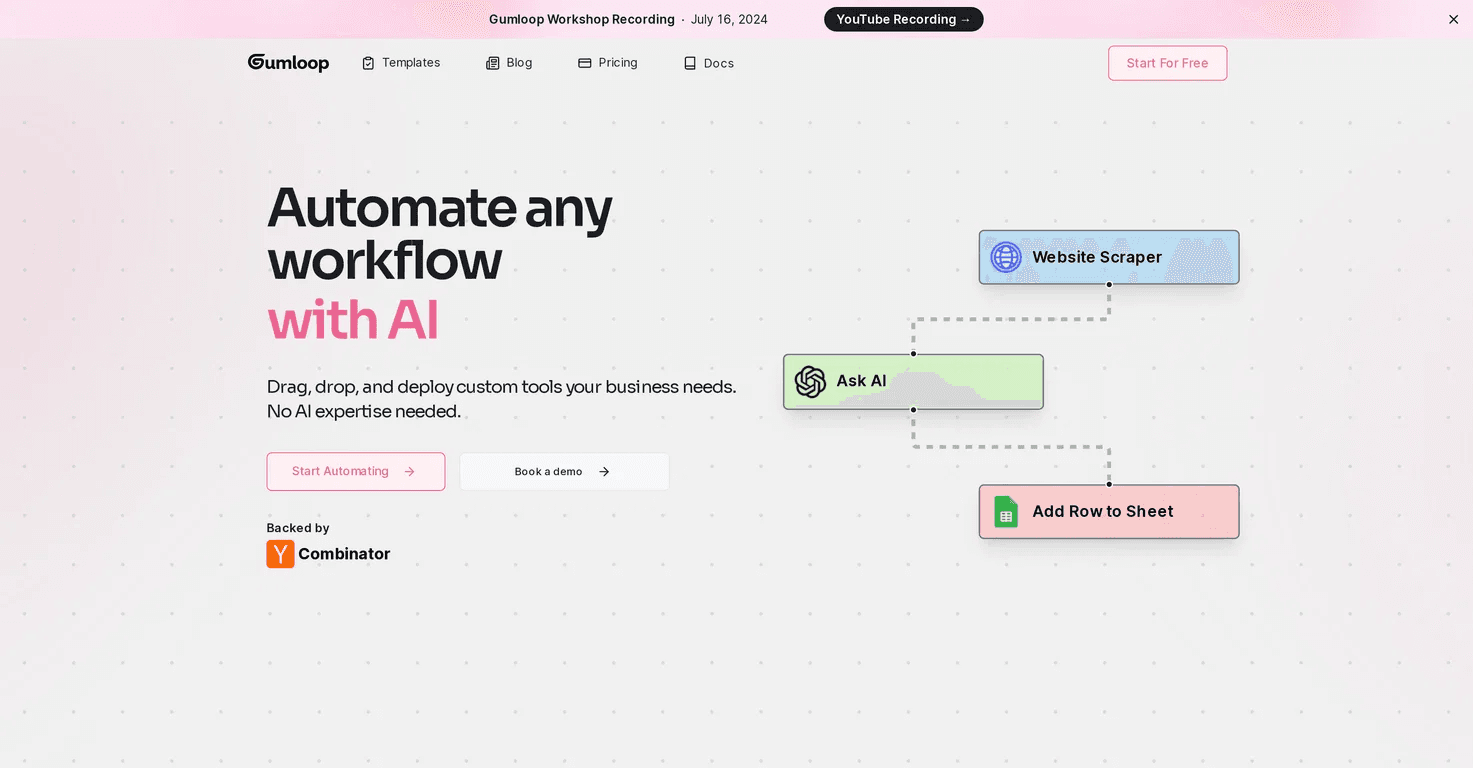
Gumloop is built the other way around from Zapier. The model does the work, and the connectors exist to feed it. You drag nodes onto a visual canvas to build agents and workflows, and you plug OpenAI, Anthropic, or Google models into any node. A meta-agent it calls Gummie writes a flow for you from a plain-language description. The catalogue is smaller than the incumbents, with 100+ native integrations, an HTTP node, and MCP support for everything else, and it carries SOC 2 Type II.
Pricing is credit-based, with a free tier for testing at 5,000 credits/mo and a Pro plan starting at $37/month for 20,000 credits, as listed on Gumloop's site. Credits are spent per node, and AI-heavy nodes cost more than simple ones. A standard model call runs a couple of credits, and an advanced one around twenty, which makes spending harder to forecast on document-heavy or enrichment workflows. Read the per-node costs shown on the canvas before deploying a looping flow.
Gumloop is backed by Y Combinator and a $50 million Series B led by Benchmark in early 2026, and it counts Shopify, Instacart, Webflow, and Ramp among its users. It fits an operations or growth person who automates research, scraping, and content workflows that require real reasoning. For a simple if this, then that automation, it is overkill, and Zapier or Make will cost less.
ProsAn
AI native canvas where models sit at the centre of every flow
Gummie builds a working flow from a plain description
Strong for research, enrichment, and content work that needs real reasoning, with SOC 2
Cons
Smaller catalogue at about 100 native integrations
Credit-based spend is hard to forecast on AI-heavy nodes
Overkill for a simple trigger, then action automation, and entry pricing is higher at $37 a month
Watch
6. Lindy: AI agents that act like assistants
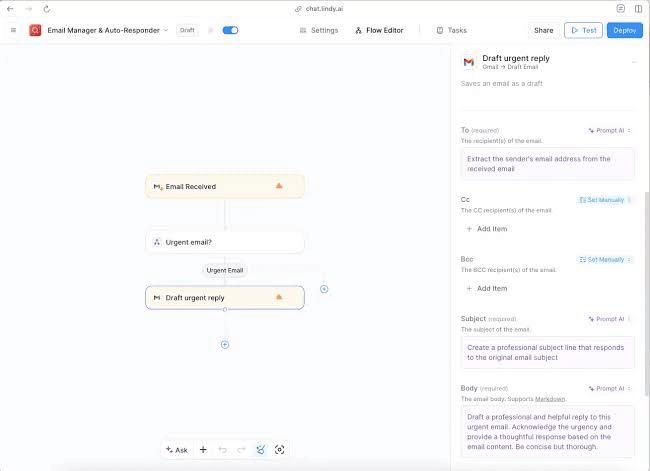
Lindy sits closest to the idea of an AI employee. You describe what you want in plain language, such as reading your inbox, drafting replies, and booking meetings, and it assembles an agent that reads context and makes decisions rather than following rigid rules. It connects to apps via Pipedream and adds voice and a computer-use feature that launches a browser when there is no API to call.
Lindy offers a 7-day free trial. Pricing is credit-based, which starts at around $50 per month on Lindy's pricing page. Credits vary by model and action: simple tasks cost about 1 credit, large model calls cost more, and voice calls are billed separately, so the real cost reflects how heavily your agents run. Enterprise adds SSO and HIPAA. Founded by Flo Crivello in 2023, Lindy earns its keep on knowledge work that needs judgment, such as email triage, lead research, and meeting prep, and it is a poor fit if you need fixed, auditable logic or your workflow is simple enough for Zapier.
Pros
No code AI agents and assistants with ready-made templates for email, calendar, and CRM tasks
Large integration coverage, more than 7,000 tools through its partnership with Pipedream
Good fit for business users who want agents without touching code
Cons
Proprietary, with no self-hosting
Credit-based pricing climbs with usage
Less low-level control than code-first tools
Watch
7. Microsoft Power Automate: the answer if you live in Microsoft 365

Is Power Automate a good alternative to Zapier? If your company already runs Microsoft 365, often yes. It connects natively to Outlook, SharePoint, Teams, Excel, Dynamics 365, and Azure, and some basic automation is already seeded in your existing license. The paid Premium plan is $15 per user a month and adds premium connectors like Salesforce and SAP, attended desktop RPA, AI Builder credits, and Dataverse storage.
The pricing trips people up the moment a flow reaches outside Microsoft or needs to run unattended. Premium connectors require the paid plan, unattended RPA jumps to the Process plan at $150 per bot a month ($215 hosted), and Process Mining is a $5,000 per tenant add-on/per month. On the AI side, you get Copilot to build flows from a prompt, AI Builder for document and form processing, and Copilot Studio for building agents on a per-credit model. The full plan grid lives on Microsoft's pricing page. Outside a Microsoft shop, the licensing tangle usually makes one of the others a cleaner choice.
Pros
Deep Microsoft 365 integration and strong enterprise governance
Includes desktop RPA for automating legacy applications, plus Copilot authoring
Cost-effective if your team already pays for Microsoft licensing
Cons
Best value only inside the Microsoft ecosystem
Premium connectors and the per-user or per-flow plans get complex
AI Builder capacity is billed separately
Watch
Power Automate tutorial for beginners (2026)
How to pick
Your main reason for leaving Zapier | Narrow it down | Start with |
|---|---|---|
Your work is AI-first | You already live inside Claude, ChatGPT/Codex and want to automate workflows. | Composio |
You want open source or to self-host | You prefer a visual builder | n8n (deepest, runs on your own server) or Activepieces (MIT, simpler, MCP on every piece) |
You want open source or to self-host | You prefer to write code | Pipedream (hosted) or self-hosted n8n |
You want it hosted and easier, with no server to run | You want the most apps and the fastest setup | Make is the closest easy swap and cheaper than Zapier in operations |
You want it hosted and easier, with no server to run | You want the lowest cost at scale | Make or Pipedream (credit system) |
You want it hosted and easier, with no server to run | You live in Microsoft 365 | Power Automate |
Want to build agents | You want no-code AI agents or assistants | Gumloop (AI canvas) or Lindy (AI assistants for email, calendar, and CRM) |
Start with what you are actually building. If a developer can run a server, n8n self-hosted gives unlimited runs for the price of a VPS and the deepest AI nodes. If you want cheap hosted automation without code, Make beats Zapier on price for the same volume.
If you care about an open license and MCP out of the box, Activepieces is the cleanest path, while Pipedream is for teams that think in code. Gumloop and Lindy are for workflows where the model makes the decisions, not just moves data.
Power Automate makes sense almost entirely inside Microsoft 365.
And if the thing you are shipping is an agent, Composio gives it authenticated access to your apps so you spend your time on the agent, not the plumbing.
Frequently asked questions
What is the best Zapier alternative?
There is no single best one, because the tools solve different problems. n8n is the strongest open-source and self-hosted pick; Make is the best cheaper hosted builder; Pipedream and Activepieces win for developers and MCP; and Composio is the best fit when you are building AI agents rather than no-code workflows.
What is the best free Zapier alternative?
For genuinely free and unlimited usage, self-host n8n (fair code) or Activepieces (MIT) and pay only for a server. Among hosted free tiers, Make offers 1,000 credits per month, Pipedream offers 100 compute credits per month, and Composio offers 20,000 tool calls per month.
Is there an open source Zapier alternative?
Yes, n8n is fair code under the Sustainable Use License, and Activepieces is MIT licensed. Both can be self-hosted for free with unlimited runs, and both now ship AI agent and Model Context Protocol (MCP) features.
Is n8n a good Zapier alternative?
For a technical team, yes. You get open-source code, execution-based pricing that does not penalise multi-step workflows, and deep AI nodes. It is a poor fit if no one on the team is comfortable with running and maintaining a server, since the self-hosted version is where most of the savings are realised.
Is Power Automate a good alternative to Zapier?
Inside a Microsoft 365 organisation, often yes, because basic automation is partly covered by your existing license, and Premium is $15 per user a month. Outside the Microsoft stack, premium connector requirements and per-bot RPA pricing complicate licensing, and another tool is usually cleaner.
Is there a HIPAA-compliant Zapier alternative?
Yes. Pipedream offers HIPAA support on its Business tier; Microsoft Power Automate covers it in a compliant Microsoft 365 setup; and Gumloop, Lindy, and Composio offer it on their enterprise tiers. Confirm the exact terms and any signed agreement with each vendor before handling protected data.
What is the best Zapier alternative for AI agents and MCP?
For building agents in code, Composio provides them with authenticated access to more than 1,000 apps via SDKs and a managed MCP gateway. Pipedream's hosted MCP server exposes more than 10,000 tools and is one of the most mature in production. Activepieces turns every integration into an MCP server, and n8n is the strongest choice for self-hosted agents.

 Get started